I’ve had the perfect notes app in my head for years. I’ve tried dozens of apps or “knowledge bases”, as some of them like to be called (usually before the pivot to be a Notion competitor targeting enterprise). For how I want to work, they all are missing core functionality. So I built my own.
I call it Ruin, after a line in the T. S. Eliot poem The Waste Land, which I am almost certainly misusing or misunderstanding:
These fragments I have shored against my ruins
It’s certainly not the perfect note-taking application; I’m not even sure it’s good. The important thing is it now exists, for better or worse. It’s less an ‘app’ and more a concept car; let’s call it a thought-experiment because that sounds contemplative and sophisticated.
Now Onto Ruin
Ruin was built with the goal of filling in functionality I’ve found missing from other notes apps. That makes it a bit peculiar, as I’ll explain below. Currently, it has two parts:
ruin-cli: A command line interface for managing and querying a vault (ie. a folder) of notes.lazyruin: A terminal user interface for creating, querying, and viewing notes in a fairly user-friendly fashion (if you are used to terminals). Inspired by the great lazygit.
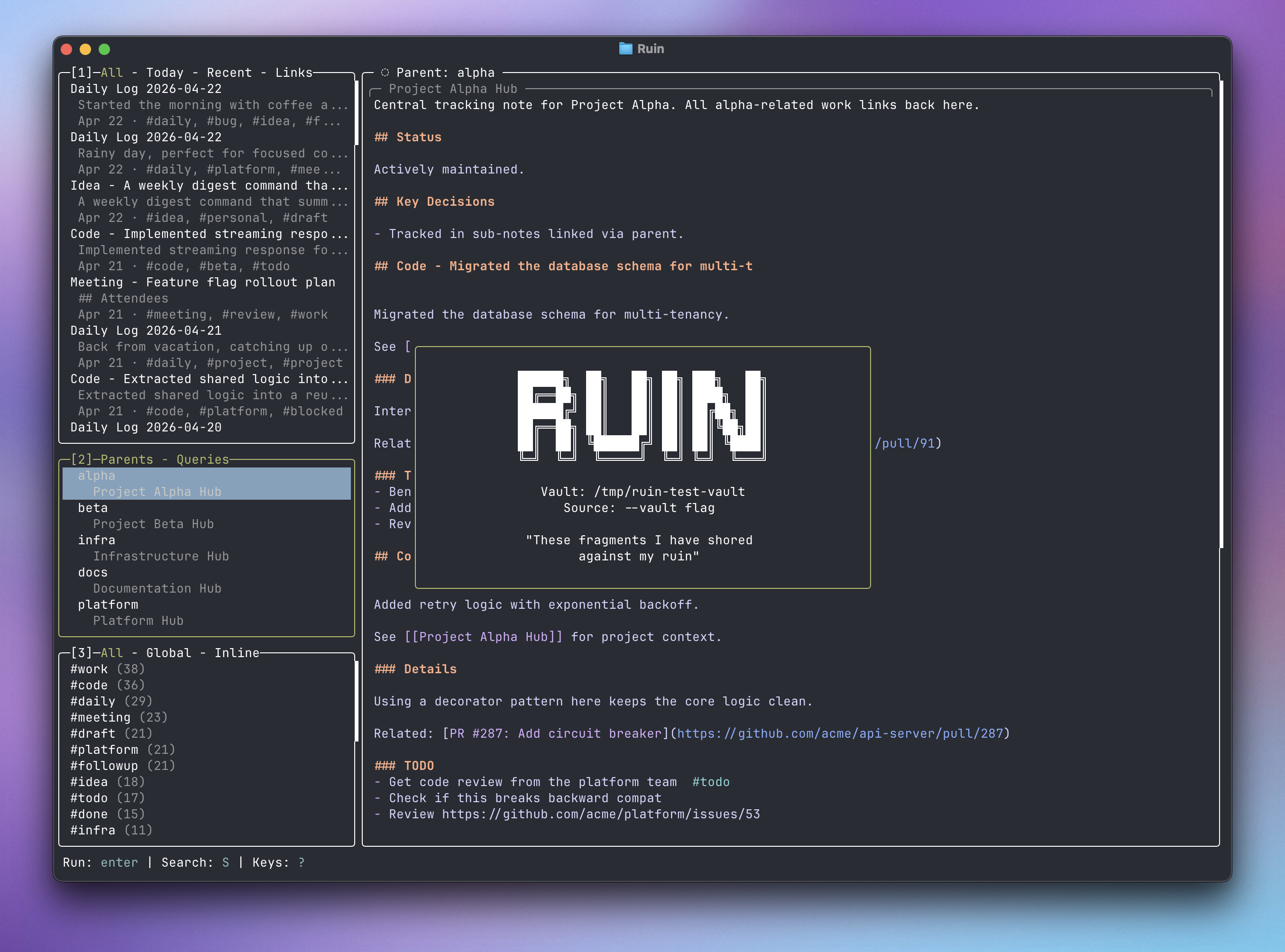
lazyruin Terminal User Interface (TUI)You can install it via brew here. On first launch you’ll set up a vault and have the option of going through a tutorial. I recommend the tutorial, this blog post will explain some of the what and why of Ruin, but not necessarily the how. The tutorial and documentation in the repo(s) will explain more of that.
Eventually, I want Ruin to be a native Mac and iOS app. For now, it lives in the terminal so I can quickly iterate and polish the core ideas and UX. I want to answer questions like “is this any good?” and “should I just learn Org-mode?” before investing more.
Core Features
Tags
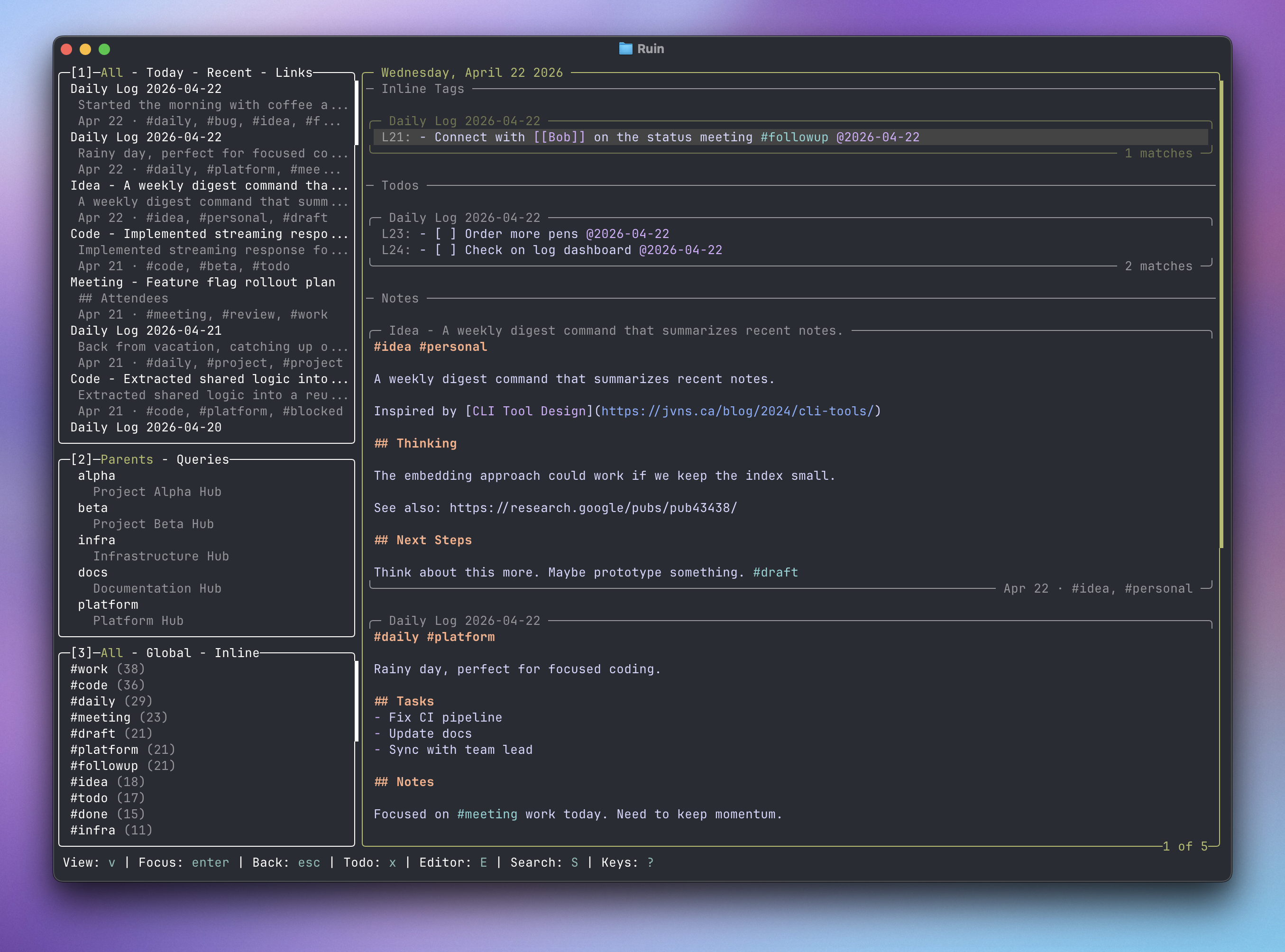
For most notes apps, tags are an all-or-nothing thing: A note has the tag or it doesn’t. Ruin has two kinds of tags: global and inline. A global tag acts like a tag in any other notes app, it represents the whole note and is useful for cataloging and searching. An inline tag is meant to give context to a specific line of text. This difference allows you to extract, view, and act on those lines outside of the note it is written in. With this, tags can become a lightweight task tracker, reading list, or whatever you need.
For example, as an engineering manager, I write a lot of notes to myself—notes from a meeting, what I did yesterday, what I need to do tomorrow. As I’m thinking and writing, I find myself coming up with little bits of followup. So, I tag those lines with #followup; if they are timely I add a date like @tomorrow or @next-week.
This looks a lot like a todo because it functionally is. I could just put these bits into a todo app (I often do). However, I like to write and I don’t want to break that flow to put a bit of info somewhere else; I want to capture these little snippets of context as I think of them. I, then, don’t want to go hunt for them later.
Pick
Ruin has the typical file search. You can easily get a list of every note that mentioned #followup. Ruin also has a tool called “Pick”, which allows you to query and extract those lines with inline tags into their own view or document.
With this you can:
- View all lines you’ve marked as
#followup - View all lines you marked as
#followupfor a specific project#important-project-dont-screw-up - View all lines you’ve marked with
#followup @YYYY-MM-DDon that specific day.
The tag #followup is not special here, it is just the tag I decided to use; you can create any tag you’d like. I use different tags like #idea and #bug to represent different kinds of action items but that is just my workflow. You can mark a line as done with #done, which is a special tag in Ruin for this use-case. By default, #done lines don’t show up in Pick results and are dimmed in notes.
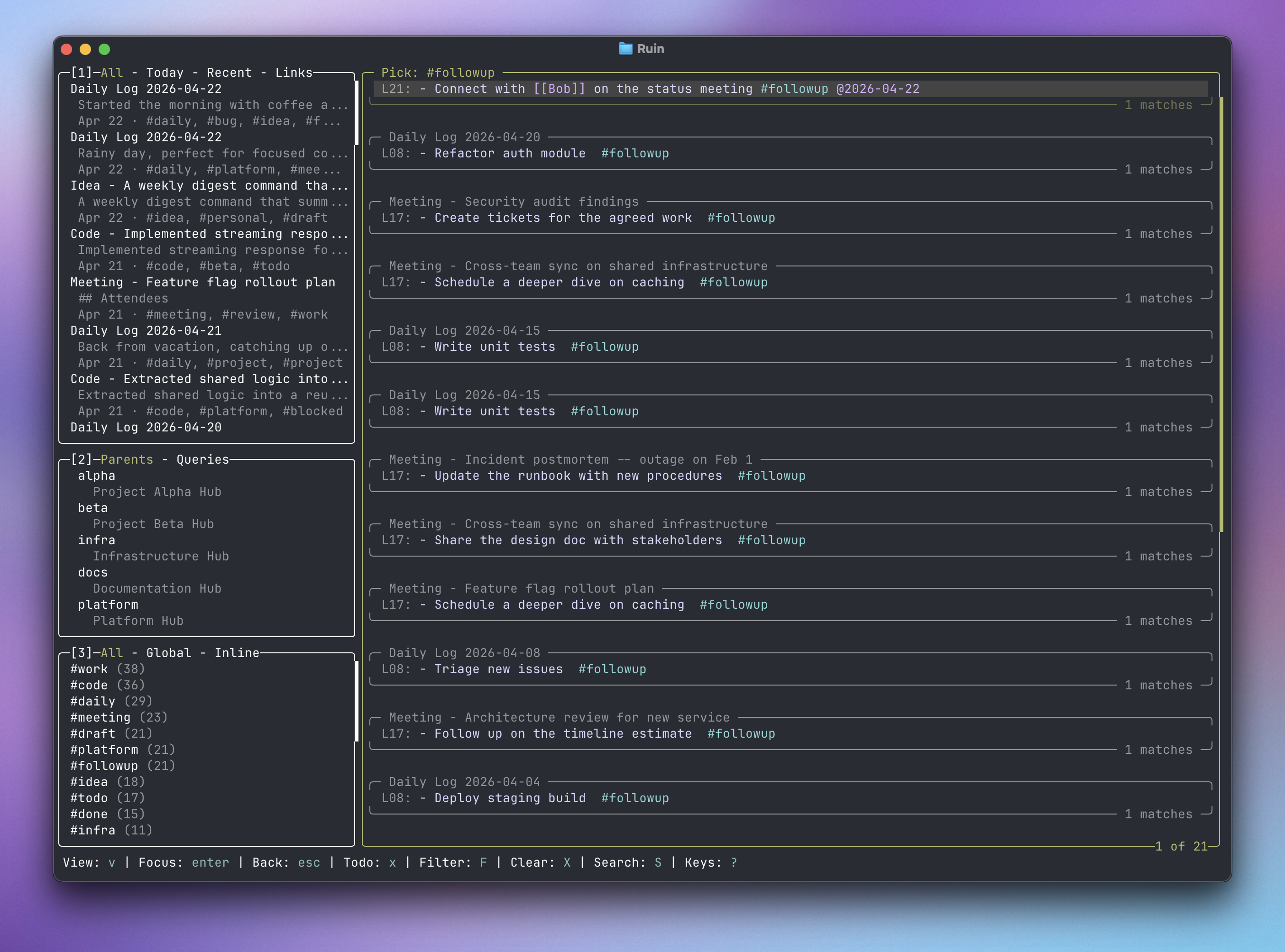
#followup lines extracted via PickComposition
In most notes apps, where you write a line is where it stays. To read a passage, you open that note and scroll to it. Some, like Notion, try to be a bit more dynamic (by being a database dressed up like a notes app). The trade-off for this is a more fiddly experience; typing in one of these apps doesn’t feel like typing anywhere else on your computer.
Ruin attempts to find a middle ground through composing smaller notes into larger documents. These can be as permanent or temporary as you’d like, depending on your needs and current priorities. Currently, there are three ways to compose a document:
- Parent->Child relationships between notes
![[note]]embeds within the text of a note,![[note#header]]is also supported for smaller sections![[search|pick|compose|query: <query>]]dynamic embeds within the text of a note
These three methods are not mutually exclusive, they can be combined in a single document to suit your (current and ever-changing) needs.
Global Input
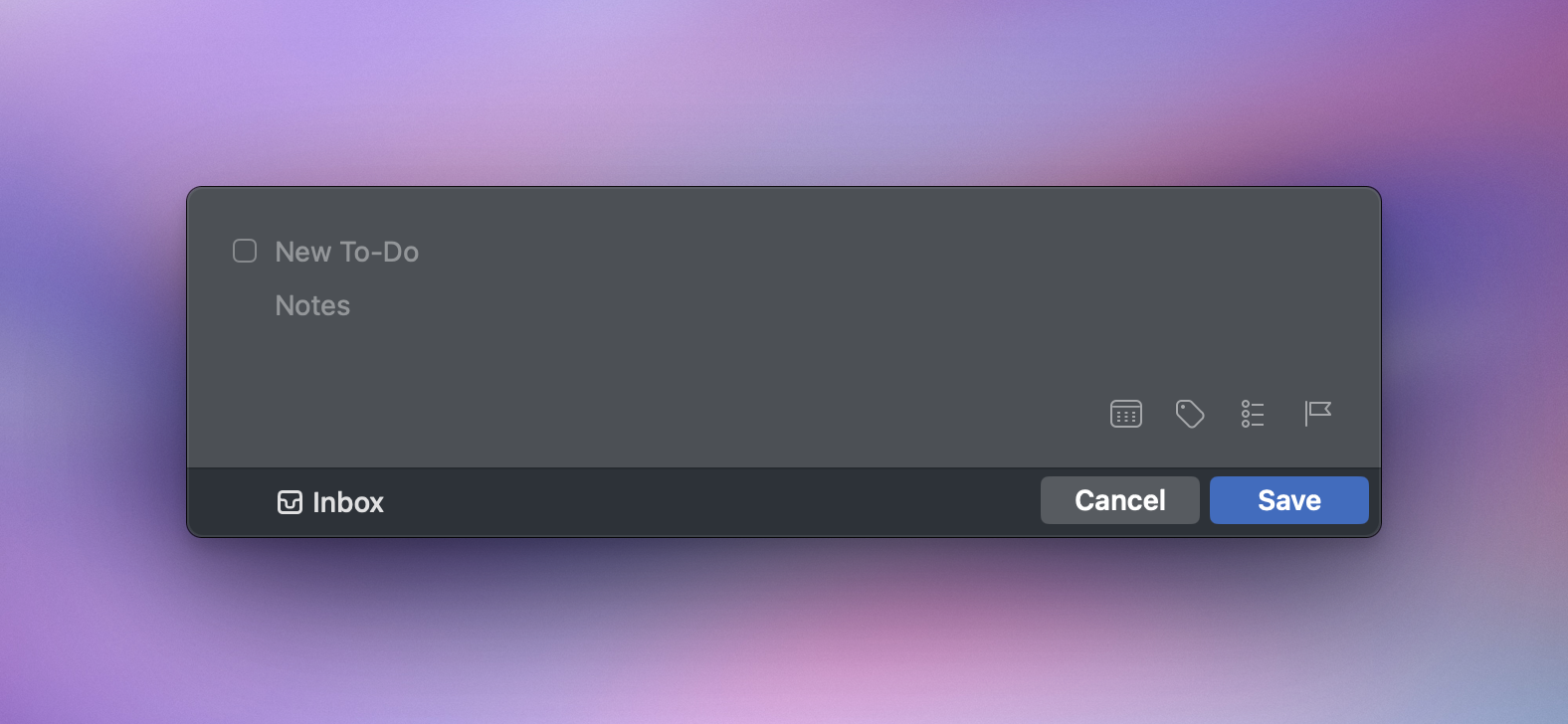
An area I found neglected by most notes apps is quickly jotting something down. Todo apps, particularly Todoist and Things 3, do this very well with a ‘Quick Capture’ modal that can popup anywhere on your system with a compact but full-featured input.
I’m not sitting down and writing novels, I’m capturing thoughts that could fit on a note card. I tend to want to get ideas down somewhere quickly. The longer they are in my head, the more likely I will forget because I unlocked my phone, opened a new app/tab, or walked through a doorway.
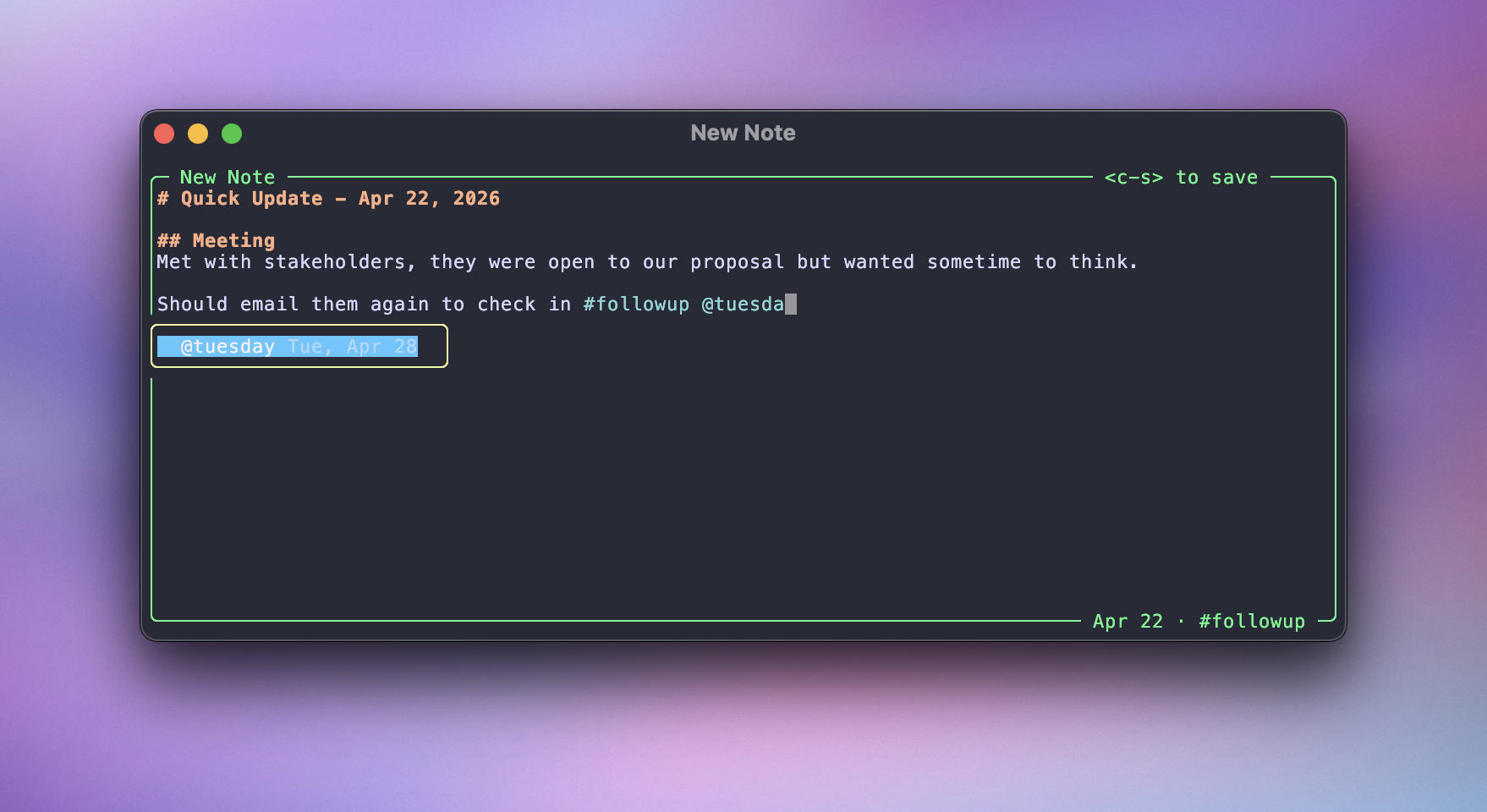
A goal for the Mac version of Ruin will be to have a global-hotkey that brings up a small, fully featured modal. You’ll be able to write a note, complete with the formatting and suggestions available in the main application to get your idea out of your head as fast as possible.
This is currently a little limited with the terminal-version. $ lazyruin --new launches directly to the New Note dialog and quits on save (or if you close the dialog), so you can approximate the functionality with a script and third-party launcher such as Raycast.
Daily Notes
A common feature in notes apps is a note tied to a specific date. You get a new one every day, hence the name ‘Daily Note’. Any notes app can have them, even if they don’t support it; just make a new note every morning with today’s date.
It’s nice to have a blank note every morning and a default place to put things. However, every time you go to write something down you are left with a question: where does it go? Is it a ‘Daily Note’ kind of idea or an evergreen thing that should live elsewhere? Every time you want to recall something, do you go look in your daily notes or your project notes?
Ruin avoids this issue by having a dynamic date view. You can see every note that was created or updated on a given day as well as any inline tags / todos that are marked with that date via the @YYYY-MM-DD syntax. This way, you never have to think about where something needs to go. Just get it out of your head now and find it again later.
Other Features
Markdown Notes
Notes are just markdown.md files. Your vault is just a folder. Sync them however you’d like, take them to another notes app when you want. Ruin syntax is broadly compatible with Obsidian, but some differences exist.
Key information is stored in note frontmatter and plaintext indexes (stored in your vault in /.ruin), to speed up queries in very large vaults.
You can edit the contents of your vault however you’d like, either through the cli, another notes app, a script, or manually. Just run ruin doctor afterwards and ruin’s internal indexes will update based on your changes.
Version Control
Ruin uses git, if installed on your system, to keep track of any changes. If you ever need to roll something back, interact with the vault as if it’s any other repo.
Wikilinks
Easily link across notes in your vault with [[wiki-style]] links. When you save a note, the first H1 is extracted as the title for easy reference in wikilinks and search queries.
Links
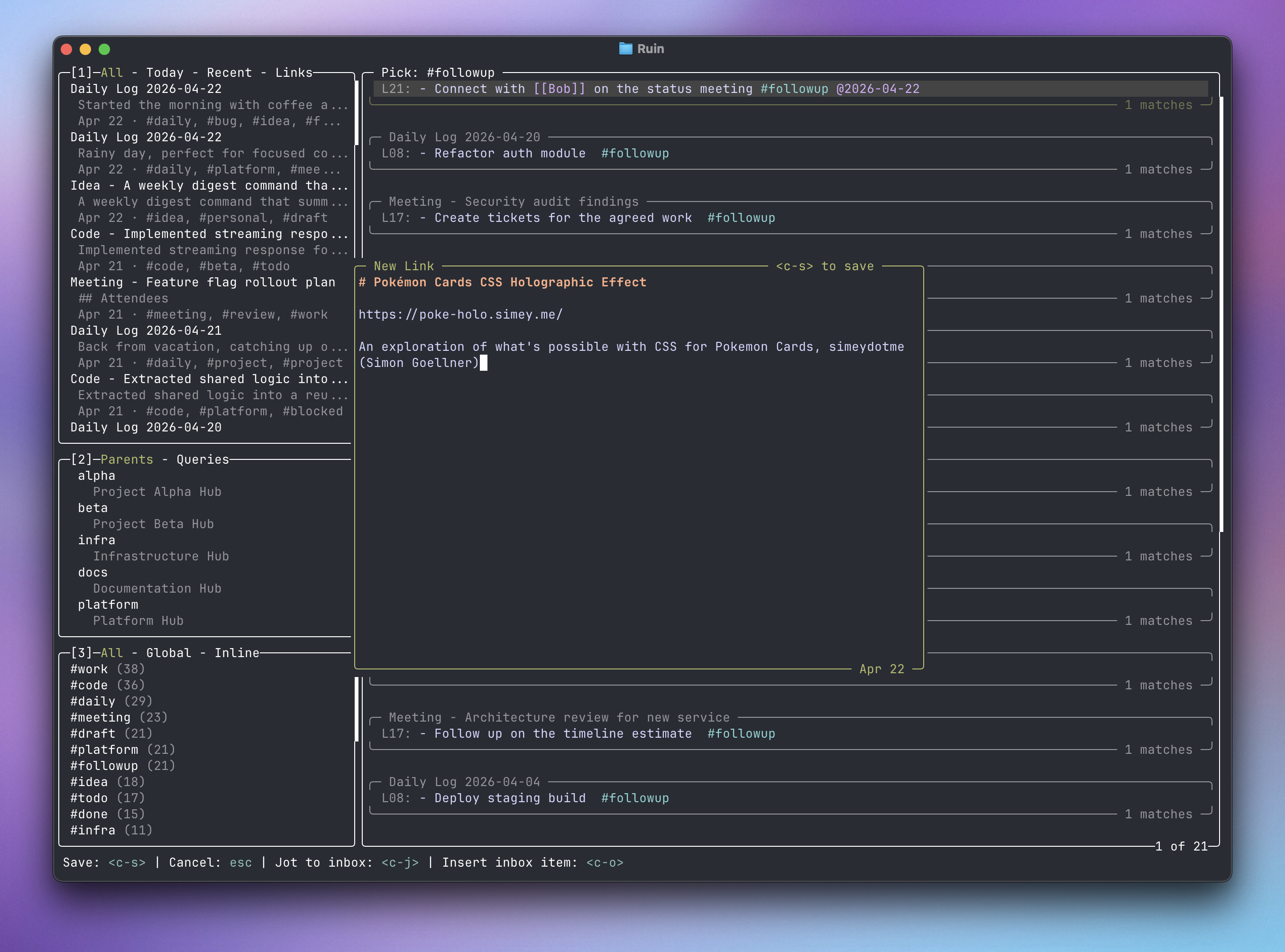
Links are a special kind of note, automatically tagged with #link if a URL is the first line of a note. If you add a link via the New Link dialog, a title and summary is automatically resolved from the link.
Fast, Standard, & Native
The CLI and TUI are written in Go. The Mac and iOS apps will be written in Swift with the standard UI library. The CLI will always represent the source of truth and be used by all Ruin implementations.
AI-Ready
With the ruin-cli and markdown files on disk, AI agents have ample read/write access to your vault, if you want to chat with your notes. A skill (along with helpful Raycast scripts) will be posted in a separate repo shortly.
What Comes Next
As I said, I see this release as a test bed / proving ground of these ideas.
Eventually, I aim to build highly-polished, fully-native iOS and Mac apps. I expect these to be closed-source and come with some sort of payment model. ‘Free to start, paid once you get above some number of notes, monthly or a higher priced one-time lifetime purchase option’ is current structure in my head. The CLI and TUI will remain free forever. The ruin CLI (or a cross-compiled version of it) will always be the source-of-truth for behavior and functionality, with the GUIs being as dumb as possible and focused on polish and OS integration.
Because this is a test bed, there is a chance I end up not exactly clicking with the mental model I’ve built here, the mental model that has been in my head as “a good idea” for years. There is a chance it’s too complicated, too fussy for how I actually want to use a tool like that. Only time will tell and now I have a platform to prove it.